Custom Software for Service Businesses: When a Spreadsheet Stops Being Enough
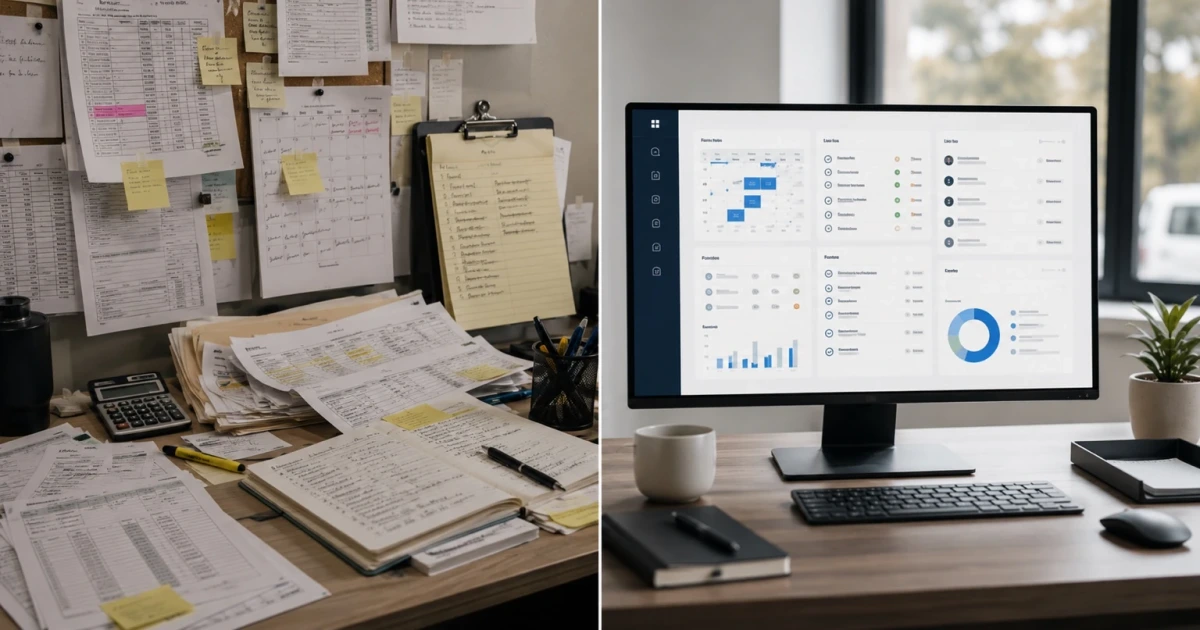
Custom software for service businesses isn't about replacing a working tool for the sake of it—it's about the moment a spreadsheet stops matching how the work moves. For one person tracking a handful of jobs, a spreadsheet is fast, free, and does exactly what's asked of it. The trouble starts when the business grows past one person—when an estimate has to move from whoever wrote it to whoever schedules it to whoever does the work to whoever bills for it. A spreadsheet doesn't know any of that happened. It just sits there holding whatever was last typed into it.
This isn't an argument that software is exciting or that spreadsheets are bad. It's about a specific, ordinary moment that happens to almost every growing service business: the point where the tool stops matching how the work actually moves.
What Spreadsheets Are Good At
Spreadsheets are genuinely good at a few things, and it's worth saying so plainly. They're free or nearly free. Anyone can open one. They're flexible—add a column, change a formula, no one has to ask permission. For a business with a small, steady volume of work and one or two people who see everything, a spreadsheet can carry the whole operation for years without a problem.
If that's still your business—small crew, everybody talks daily, one person has eyes on every job—there's no reason to change anything. The rest of this is for when that stops being true.
Where Spreadsheets Start Leaking Money
The failure isn't dramatic. It's quiet, and it shows up in the same handful of places in almost every growing service business.
Estimates That Go Quiet
An estimate gets written into a spreadsheet row. Nobody owns following up on it, so it sits. A week later it's cold, and the customer already hired somebody else. The spreadsheet didn't do anything wrong—it just never had a way to remind anyone that the row needed a next step.
Job Status Living in Someone's Head
Ask "where's the Johnson job" and the honest answer is often a mix of a text thread, a phone call to the crew lead, a sticky note on someone's monitor, and whatever the office manager remembers from that morning. None of that is written down anywhere a second person could check. When that person is out sick, the job's status goes with them.
No Clear Ownership of Tasks
A spreadsheet can list every job, but it can't tell you whose job it is to move each one forward. Without a system that assigns and tracks ownership, tasks default to "whoever notices it's overdue"—which usually means the customer notices first.
Reporting That Takes Too Long to Build
Answering "how many jobs closed last month, and what did they average" shouldn't take an afternoon of copying numbers between tabs. When it does, most businesses just stop asking, and stop seeing patterns they'd otherwise catch—which jobs are profitable, which lead sources are worth the money, where the bottleneck actually is.
Office-to-Field Handoffs Breaking
The office schedules a job. The field never gets a clean version of what was promised. The crew shows up without the right details, or a change made in the morning never reaches the truck by afternoon. A spreadsheet on an office desktop isn't built to travel with the crew, so the handoff breaks exactly where it matters most—at the customer's door.
The Signs You've Outgrown the Spreadsheet
None of these alone means it's time to change anything. Together, and repeating, they're the pattern:
- Follow-up depends on someone remembering, not on the system reminding them
- More than a couple of people need to see or update the same job, and they're not always looking at the same file
- "Who's supposed to do this" doesn't have an obvious answer
- Building a simple report takes real time instead of a few minutes
- Information that's accurate in the office is stale by the time it reaches the field
If two or three of these are a weekly headache instead of a rare annoyance, the spreadsheet isn't the tool for where the business is now.
When Custom Software for Service Businesses Actually Becomes Worth It
Custom software earns its cost when the gap is in the handoffs, not inside any single step. If one off-the-shelf tool would close the gap—a scheduler, a shared CRM, a better spreadsheet template—that's the cheaper and faster answer, and it's the right one. Off-the-shelf tools and custom builds solve different problems, which is the same judgment call we walk through in custom AI software vs off-the-shelf tools. Custom software is for when the problem lives between tools and people: an estimate that has to become a scheduled job that has to become a field update that has to become an invoice, with each handoff tracked and each person accountable for their piece.
That's the same judgment call we walk through for connected systems generally in API integrations for small businesses and in choosing what to fix first in what to automate first. If custom software does turn out to be the right move, how much a custom software system costs lays out realistic ranges and what moves the price, and is custom software worth it covers whether it returns that money. The pattern is consistent: start with the specific leak, not with a platform.
Start With the Leak, Not the Software
The businesses that get this right don't rip out their spreadsheets and replace everything at once. They find the one handoff that's actually costing them jobs—usually follow-up or field communication—and build a system around that first. Everything else stays as-is until it's proven the first piece works.
At LoGa AI Systems in Oklahoma City, that's the work—building internal business software around how a service business actually operates, so estimates, scheduling, field updates, and reporting move as one system instead of living in five different places. See the full range of what that looks like in practice on what we handle, and what it changed for the businesses we built it for on results.
Frequently asked questions
When does a service business need custom software instead of a spreadsheet? When work has to move between people and a spreadsheet can no longer show who owns the next step. A spreadsheet works fine for one person tracking their own jobs. It stops working once an estimate has to hand off from sales to scheduling to the field to billing, because spreadsheets don't do reminders, permissions, or accountability—they just hold whatever was last typed into them.
Is a spreadsheet bad for running a business? No. A spreadsheet is a good, cheap tool for a small volume of work tracked by one or two people who talk to each other daily. The problem isn't the spreadsheet—it's using it past the point where the business needs handoffs, reminders, and reporting that a static grid can't provide. Plenty of businesses run well on spreadsheets for years before they outgrow them.
What are the signs a business has outgrown spreadsheets? Estimates that go quiet because nobody was assigned to follow up. Job status that lives in texts, phone calls, sticky notes, and one person's memory instead of one shared place. No clear ownership of tasks, so things get missed and nobody notices until the customer calls angry. Reporting that takes hours to piece together by hand instead of minutes to pull up. Handoffs between the office and the field that break because the field never saw the update.
How much does custom software cost for a small service business? It depends on scope, and the honest first move is to scope small—build around the one or two handoffs that are actually leaking money, not a system that tries to run the whole business on day one. Realistic ranges vary widely based on how many handoffs and users are involved, which is why scoping down to the actual leak matters more than the sticker price.
Can I fix these problems with a cheaper off-the-shelf tool instead of custom software? Often, yes—start there. If one off-the-shelf tool closes the gap, that's the right call and custom software isn't worth it yet. Custom software earns its place when the problem isn't inside any single tool but in the handoffs between people and steps, which is a different kind of gap than a single app can close.