How to Ask for Google Reviews Without Breaking Google's Rules
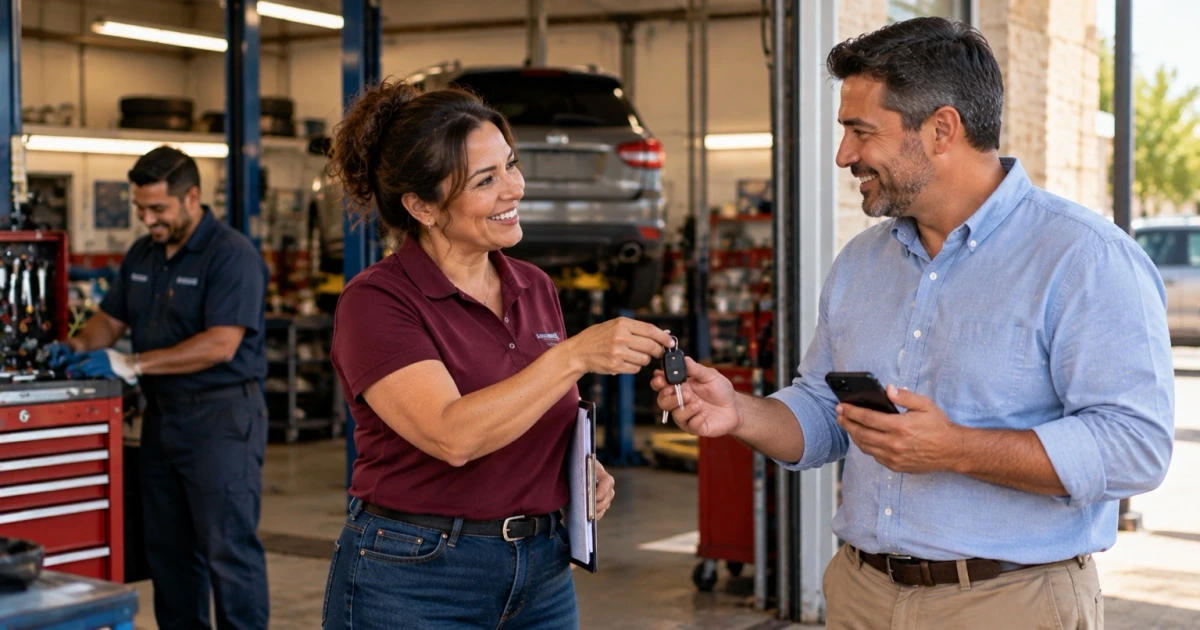
Here is how to ask for Google reviews without breaking Google's rules: ask every eligible customer the same way, shortly after the job, appointment, or order is finished, with a direct link to your Business Profile and nothing attached. No discount, no suggested star rating, no screening for happy customers first. Give unhappy customers a separate way to reach you, and never let that path decide who receives the invitation.
The rest of this guide covers why reviews matter, what Google's policy says, when to ask, what to send, how to reply, and what a business should track so the process stays consistent.
Why Do Google Reviews Matter for a Service Business?
A customer who has never used your business has little to go on before calling except what earlier customers said. Google's guide to getting more reviews says reviews "can help your business stand out and give potential customers helpful info," and that "they show next to your Business Profile in Maps and Search."
They also play a documented part in local search. Google's local ranking guidance lists prominence as one factor and says: "More reviews and positive ratings can help your business's local ranking." Note the word "can." It is one factor among several, alongside relevance and distance, and nothing in Google's guidance promises a ranking, a lead, or a mention in an AI answer. How reviews fit into the rest of local visibility is covered in local SEO for Oklahoma City service businesses.
Two reasons matter even if rankings never moved:
- Honest feedback finds problems. A review that mentions a late arrival or a confusing invoice tells you something a satisfied customer would not.
- Public replies show that you listen. The same Google page says that when you reply, "it shows that you value their feedback." A prospective customer reads your replies as closely as the reviews.
What Do Google's Rules Allow and Prohibit?
Google's Maps user-contributed content policy is direct about what businesses may and may not do. It allows merchants to ask for reviews that "represent a genuine experience, without offering incentives to do so or attempting to influence the rating or the contents of the review."
It does not allow merchants to:
- Offer incentives, "such as payment, discounts, free goods and/or services," in exchange for a review, a revision, or the removal of a negative review.
- Discourage negative reviews or "selectively solicit positive reviews from customers."
- Pressure customers on the premises to leave a rating, or ask that specific content be included.
- Set staff quotas for a certain number of reviews, or ask staff to collect reviews that name them.
The Federal Trade Commission has its own rule on consumer reviews, and it is narrower on one point. The FTC's questions and answers on the rule say it "does not prohibit giving incentives for reviews, as long as there isn't an express or implied requirement that the reviews have to express a particular sentiment." Google's policy prohibits incentives for reviews outright. A business asking for Google reviews has to meet both, which in practice means no incentives at all.
None of this is legal advice. It describes how to run the process.
Why Should Every Eligible Customer Get the Same Invitation?
The safe way to decide who gets asked is by an event, not by mood. A customer is eligible when the job, appointment, or order is complete, the business has a way to reach them, they have not asked you to stop contacting them, and they have not already been asked about this job.
Asking only satisfied customers is what Google's policy calls selective solicitation. The common automated version is a two-step survey: "How did we do?" with a star scale, where high scores get the Google link and low scores get a feedback form. It looks like good customer service. It is a filter that decides who reaches Google based on how they feel, and it is the practice the policy prohibits.
The same applies to quieter versions: a technician who mentions reviews only to the friendly customers, or an office that skips the request on jobs that went badly. Same event, same message, every time.
How Do You Handle Complaints Without Filtering Reviews?
Customers with a problem need a fast way to reach a person, and that path should exist on its own. Put a support line in every request: a phone number or a reply-to address that a real person reads.
The rule is that the support path never changes who receives the review invitation. A customer who complains still gets the same request on the same schedule as everyone else. If the problem is fixed and the customer decides to update their review, that is their choice. Asking them to remove or change it in return for a refund, a discount, or a free visit is the incentive the policy prohibits.
How to Ask for Google Reviews: When to Send the Request
Ask after the work is finished, not before. A good trigger is the moment the business itself marks the work done:
- A completed job: after the final walkthrough or when the job is closed in your system.
- A completed appointment: after the visit, not when it was booked.
- A delivered order: after delivery or pickup, not at checkout.
As a working rule, ask on the day of the visit or the day after. Send one reminder at most, a few days later, and then stop. Repeated reminders turn an invitation into pressure.
Asking in person is fine. Handing someone a card with a QR code at the door is an invitation. Standing over them until they post is the on-premises pressure the policy describes.
How Do You Get Your Google Review Link?
Google's help article on creating a review link or QR code walks through it. In short: open your Business Profile, choose Read Reviews, then Get more reviews, and copy the link or save the QR code. The article notes that the QR code can be generated only from a computer browser, and that requests can also go out by email, WhatsApp, or a Facebook post.
Use that one link everywhere: texts, emails, printed cards, and your invoice footer. Google also notes that customers must be signed in to a Google Account to leave a review.
Review Request Templates You Can Use
Keep the request short, make the link the only action, and say nothing about the rating.
Text message (day of the visit):
Hi Maria, it's Dan with [your company]. Thanks for having us out today. If you have a minute, we'd appreciate an honest review of the visit: [review link]. If anything isn't right, call or text this number and we'll take care of it.
Email (day of the visit or the day after):
Subject: How did the visit go?
Hi Maria, thanks for choosing [your company] for the brake repair this week. Reviews help other people in the area decide who to call, and they show us what to do better. If you're willing, you can leave an honest review here: [review link].
If anything about the work isn't right, reply to this email or call [number], and a person on our team will follow up. Dan
In person, at pickup or the end of a visit:
Thanks again. There's a link on your receipt if you'd like to leave a Google review later. Honest feedback helps us.
One reminder (a few days later, only if there was no response):
Hi Maria, one last note from [your company]: if you'd like to review last week's visit, the link is here: [review link]. Either way, thanks for your business.
The names are placeholders. Avoid any wording that steers the answer: "5 stars," "if you were happy," "mention our tech by name," or "we'd love a positive review."
How Should You Reply to Positive, Neutral, and Negative Reviews?
Google's review reply tips say to keep replies short, conversational rather than promotional, and specific to what the customer wrote. They also say to protect the reviewer's privacy and avoid personal attacks.
- Positive: Thank them for something specific. "Glad the new water heater is working well, and thanks for mentioning how clean the crew left the garage."
- Neutral: Thank them, and address the part that fell short. "Thanks for the feedback on the arrival window. We've started texting when the tech is 30 minutes out."
- Negative: Acknowledge the problem, say what you are doing about it, and invite them to call. "I'm sorry the first repair didn't hold. I'd like to make this right. Please call me directly at the shop." Do not argue the details in public, and do not mention anything about the job the customer did not raise.
What Can a System Automate, and What Needs a Person?
A system is good at consistency. It can:
- Start the request when a job, appointment, or order is marked complete.
- Send the same message, with the same link, to every eligible customer.
- Skip customers who opted out or were already asked about that job.
- Send one reminder on a schedule, then stop.
- Record what was sent, when, and whether it was delivered.
A person should handle judgment:
- Replying to reviews, especially negative ones.
- Following up on anything that came in through the support path.
- Deciding exceptions, such as a customer who asked not to be contacted.
- Reading the record each week to see what was missed.
What Should You Track for Each Review Request?
One record per completed job or order is enough. Track:
- Completed service: the job, appointment, or order, and the date it was marked done.
- Invitation sent: the date, the channel, and the message version.
- Delivery status: delivered, failed, or bounced, so a wrong number gets corrected and does not silently drop someone from the process.
- Response: whether the customer replied or called. Whether a new review appeared is checked in your Business Profile.
- Support follow-up: any problem raised, who owns it, and when it was resolved.
If a review request lives inside a larger follow-up sequence, the timing ideas in AI follow-up systems apply. The review request is the last step after the work, never a substitute for fixing a problem.
How LoGa Connects Review Requests to Your Workflow
LoGa AI Systems is an Oklahoma City company that builds custom software and business systems for service businesses. Review requests are one of the jobs we run as part of that system. We connect the invitation to the event you already record, whether that is a completed job, a completed appointment, or a completed order. Every eligible customer gets the same honest request. A separate support path routes problems to a person, and you can see what was sent, what failed, and what needs attention.
What we do not do: we do not read or post Google reviews on your behalf, and no one can promise a number of reviews or a ranking. The same "handle problems separately" principle appears in our guide to an AI call answering system, which covers the calls that lead up to the job.
See the full list of jobs LoGa runs on what we handle. If you want a second look at how your completed jobs turn into review requests today, we can walk through it in a free bottleneck audit.
Frequently asked questions
Is it against Google's rules to ask customers for reviews? No. Google allows businesses to ask customers to post reviews that reflect a genuine experience. What its policy prohibits is offering an incentive for a review, discouraging negative reviews, selectively asking only customers who seem happy, pressuring customers on the premises, and asking for specific content in the review.
Can I offer a discount or a gift for leaving a Google review? Not for Google reviews. Google's policy prohibits payment, discounts, and free goods or services in exchange for posting a review, changing one, or removing a negative one. The FTC's rule is narrower and focuses on incentives tied to a particular sentiment, but a business asking for Google reviews has to follow Google's stricter rule as well.
Can I send review requests only to customers who were happy? No. Google's policy does not allow a business to ask only the customers it expects to be positive. A satisfaction survey that sends only high scores to Google is that same practice in automated form. Decide who is eligible by an event, such as a completed job, and send every eligible customer the same invitation.
What should I do when a customer leaves a negative Google review? Reply publicly, briefly, and without arguing. Acknowledge the specific problem, say what you are doing about it, and invite the customer to contact you directly by phone or email. Never share their private details, and never offer anything in exchange for removing or changing the review.
How soon after a job should I ask for a Google review? Shortly after the work is actually finished: on the day of the visit or the day after for a typical service call, and after delivery for an order. The experience is still fresh, and the customer can answer from memory. Send one reminder at most if there is no response, then stop.